
The Disney, Hulu and Max Bundle Can Hide a Double Payment
The three-service bundle may replace bills your household already pays separately. A 20-minute viewing audit shows whether the savings survive ads, account setup and outside-service favorites.
Streaming · August 11, 2026 · 8 min read
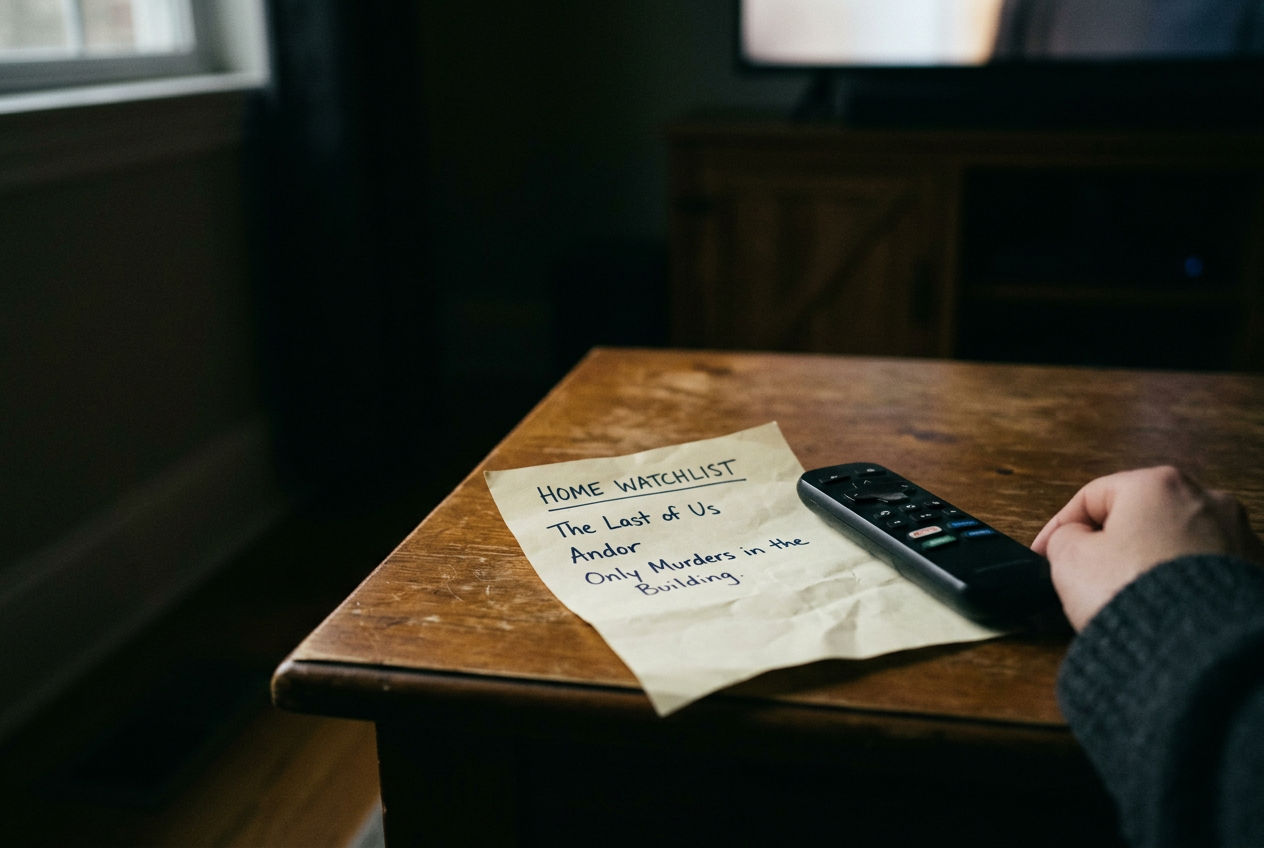
This is streaming coverage, with no plot spoilers. The concrete test is a household with The Last of Us paused in HBO Max, Andor saved in Disney+ and Only Murders in the Building sitting in Hulu’s Continue Watching row. Those three titles look like separate subscription decisions. Under the bundle, they can become one.
That does not make the bundle an automatic bargain. A discounted package can still cost more than the services a household uses, particularly when one app has become background furniture and nobody has opened it since the finale they meant to discuss six weeks ago.
Start with the three-title test
Open each profile, not merely the account holder’s profile, and examine Continue Watching first. This row records behavior rather than intention, which makes it more useful than a crowded watchlist built from trailers, recommendations and things someone saved during awards season.
Write down every series or movie played during the previous 30 days and place the service beside it. Do not count an app launch as use. Count a completed movie, an episode started or a recurring children’s title that reliably occupies part of the week. A household that reaches HBO Max for The Last of Us, Disney+ for Andor and Hulu for Only Murders has a clean case for comparing the bundle with its current separate payments.
Now inspect each saved list. Give priority to titles someone expects to start within the next month, rather than every worthy miniseries accumulated since the profile was created. The distinction matters because streaming watchlists behave like a friend who overstayed: familiar, vaguely comforting and no longer evidence that anyone has plans for the evening.
The three-title test should remain visible throughout the audit. If one of those titles disappears after you check real viewing, perhaps Andor has been saved for a year while Disney+ gets no other use, the household may need only Hulu and HBO Max for now. Bundling an idle app does not turn it into value.
Compare the bill you have, not the advertised saving
Current US Disney documentation presents a Disney+, Hulu and HBO Max bundle in an ad-supported version and a higher-priced version without standard on-demand ads. At publication, the signup pages list the monthly options at $19.99 and $32.99, before any applicable tax.
The service currently uses the HBO Max name, although many subscribers still know the app and older bundle language as Max.
Do not compare either price with a hazy memory of what the household pays. Open the billing page for every service and record the amount, billing source and renewal interval. An annual Disney+ plan, a promotional Hulu rate or HBO Max supplied through another company can distort a quick monthly comparison, and app-store billing may sit somewhere entirely different from a direct subscription.
Use one line of arithmetic: add the bundle price to every streaming service the household would keep outside it, then compare that total with the current combination. Include Apple TV+ if Severance is next on the household schedule. Apple’s own availability pages place that series on Apple TV+, so a Disney, Hulu and HBO Max package cannot absorb the subscription.
This is where the original three titles earn their keep. They establish that the bundle covers three active viewing habits. Severance establishes the limit. If the outside service survives the switch, its cost belongs in the new total rather than being treated as an unrelated indulgence.
Treat ads as part of the runtime
An ad tier, meaning a lower-priced plan that inserts commercials into supported programming, changes more than the bill. It changes the pace of an episode, particularly a compact comedy or a drama whose cuts were designed to carry tension directly into the next scene.
Check when the household watches. Commercials may be tolerable during an occasional movie, while several weeknight episodes can make the lower tier feel longer than its listed runtime suggests. Children replaying the same Disney+ title and adults moving through a Hulu season create different exposure, even when both appear as one active service in the audit.
The higher-priced bundle should not be read as a promise that every screen will always be ad-free. Disney and Hulu documentation notes exceptions around live programming and certain content, while promotional material may still appear. Read the plan details attached to checkout rather than relying on the word “premium.”
The top bundle also does not necessarily reproduce the highest standalone plan offered by each service. Check 4K, a higher-resolution video format than standard full HD, if the household pays for a compatible television and chooses titles partly for presentation. Also verify downloads and concurrent streams, meaning the number of devices allowed to play at once, because a no-ads label does not answer either question.
Return to The Last of Us, Andor and Only Murders. A household watching those series one episode at a time on separate nights may find the cheaper tier acceptable. If different profiles regularly play them at once, or someone downloads episodes for travel, the plan’s device and download rules can matter more than the headline discount.
Do not cancel before the accounts connect
Bundle signup and account activation are separate steps. Disney’s instructions require subscribers to use or establish the relevant credentials and activate HBO Max access; Hulu access also depends on the account relationship described during enrollment. Matching email addresses can reduce confusion, but they do not guarantee that every existing third-party bill will stop.
Before changing anything, note who bills each service. A direct subscription, an app-store purchase and access supplied by a wireless or television provider follow different cancellation paths. Brand help pages tell existing subscribers to review their billing arrangements because some subscriptions require separate management, and eligibility or account-credit treatment can vary.
Enroll first, follow every activation prompt, then confirm that the expected profiles and watchlists appear in each app. Play a few seconds of one known title on each service. Only after The Last of Us, Andor and Only Murders all open under the intended access should the household cancel a redundant subscription through its original billing source.
This order may create a brief overlap, but it is safer than losing profile history or discovering on movie night that HBO Max was never activated. Set a calendar reminder for the old plan’s next renewal window. The aim is to eliminate the duplicate bill, not to create a second bundle beside it.
The
Disney+ Hulu tile is useful, but it is not the whole audit
Eligible bundle subscribers can reach supported Hulu programming through the Hulu area inside Disney+, which makes the package look more consolidated than it is. Disney’s documentation describes Hulu content available within Disney+, rather than declaring the separate Hulu app irrelevant in every case.
Keep the Hulu app until the household has checked its regular titles, profile controls and playback needs. Rights restrictions, account settings and feature differences can affect what appears in the combined interface. A missing title there does not automatically mean the subscription lacks Hulu access; it may still be available through Hulu’s own app.
The reverse mistake is paying twice because Hulu appears inside Disney+ and the old standalone Hulu bill continues elsewhere. Check the billing page, not the presence of a tile. Interface overlap and billing overlap are different problems.
Mark the titles the bundle cannot cover
One outside title can overturn an otherwise tidy calculation. Severance remains on Apple TV+. Netflix originals require Netflix, while Peacock and Paramount+ retain their own subscription libraries. Movie rentals purchased through a digital store also sit outside the bundle, as do plans centered on live television rather than the on-demand Hulu included in this package.
Avoid turning this into a census of every show someone might someday watch. Mark the next outside-service title with a start month, keep that service only when the month arrives, and reassess after the season. Rotating a service works best when a series has completed its release; a weekly release cadence, meaning episodes arrive over time rather than all at once, may require keeping the app longer.
The bundle is strongest when the three-title test reflects weekly behavior across the household. It is weaker when Disney+ supplies one annual franchise premiere, Hulu has gone untouched and HBO Max carries the only current series. In that case, buy the service being used and leave the package alone.
Make the keep-or-cancel decision
Keep the bundle if recent history shows regular use across its services, the selected ad level matches how the household watches and the new total remains lower after outside apps are added. Choose separate subscriptions when only one or two services have real activity, particularly if an annual plan or provider benefit already lowers the current cost.
Land undecided when the watchlist is doing more work than the history. Wait a month, clear one intended series and run the audit again. A bundle should replace active bills. It should not convert a pile of maybe-later titles into a permanent monthly charge.
Questions people ask
Does the Disney bundle include HBO Max in the US?
Disney offers US monthly bundles combining Disney+, Hulu and HBO Max, with ad-supported and higher-priced no-ads options. HBO Max still requires activation under the bundle instructions, so seeing a Disney charge or opening the Disney+ app does not by itself confirm that HBO Max access is ready.
Should
I cancel my existing Max or Hulu subscription first?
No. Enroll in the bundle, complete the activation steps and confirm that familiar titles play under the intended profiles. Then cancel any duplicate plan through the company that bills it, whether that is the service itself, an app store or another provider.
Is the no-ads bundle the same as every service’s top plan?
Do not assume so. The bundle removes standard on-demand ads across the included plans, subject to documented exceptions, but the highest standalone tier may carry different 4K, download or simultaneous-stream benefits. Compare those features on the live checkout page before replacing an existing premium subscription.
Will the bundle cover shows on Netflix or Apple TV+?
No. The package covers Disney+, eligible Hulu access and HBO Max; it does not transfer titles licensed or produced for unrelated services. If Severance is the household’s next planned series, include Apple TV+ in the post-switch total and cancel it only after the viewing commitment ends.
One update a day
Today's review, in your inbox
One review each morning — no hype, no filler, just what is worth watching.


