A New Jersey Movie Ticket Won’t Reserve a Caption Device
Theater listings may confirm caption support without holding the equipment. For a New Jersey screening, call the location, confirm pickup and test the device before the trailers.
Cinema · August 11, 2026 · 8 min read

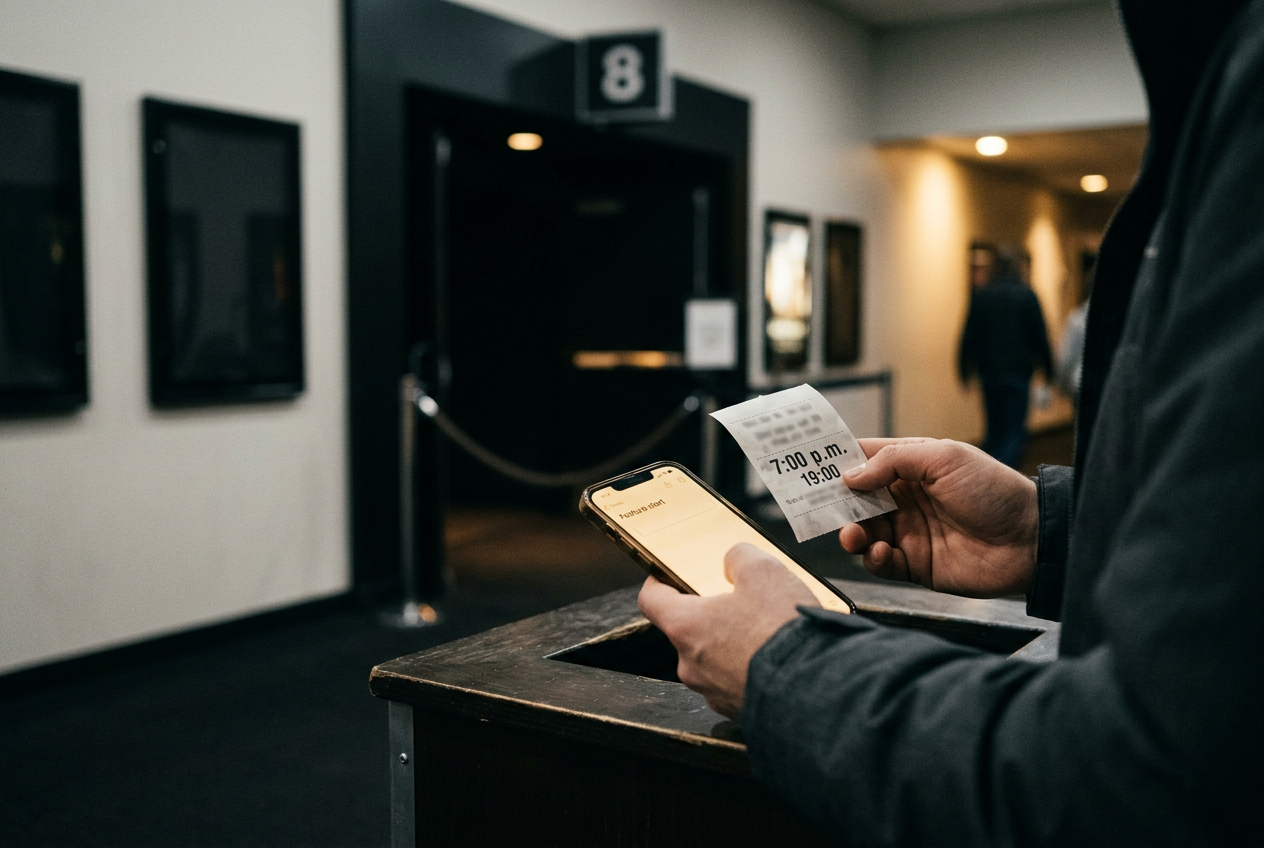
This is cinema coverage, specifically the part of moviegoing that happens between choosing a showtime and settling into the seat. Consider a 7 p.m. screening whose opening scene delivers names, locations and plot instructions through quiet dialogue.
If a caption display will not sync until 7:08, accessibility has arrived after the information it was meant to carry.
Public accessibility pages from AMC, Regal and Cinemark confirm that their theaters offer combinations of closed-caption equipment and assistive-listening devices. They do not create one dependable New Jersey reservation system, however, and a ticketing label usually describes the screening rather than promising a particular piece of hardware. The useful task is therefore narrower: turn a website’s availability claim into a confirmed handoff at the theater.
This guide tests the published path rather than claiming a physical visit or equipment inspection. That distinction matters. Chain-level pages can establish what services exist and where staff generally distribute them, but only the location can confirm whether a working unit will be ready for one auditorium at one time.
Read the showtime label correctly
Closed captions are synchronized dialogue and sound information shown privately on a viewer’s device. At many multiplexes, that means a small display mounted on a flexible arm that fits into the seat’s cup holder; some theaters use caption glasses instead. The viewer can position the text beneath the screen without placing captions on the image for everyone else.
Open captions are different. They appear directly on the movie screen, require no borrowed hardware and are visible to the full audience. If a theater lists a show as open captioned, that screening can remove the pickup and battery variables altogether, though the available time may be less convenient.
An assistive-listening receiver is a borrowed device that sends amplified film audio to headphones or another compatible connection. It is not a caption machine, and it may carry the main soundtrack rather than translating speech into text. Audio description is another separate service: a narration track describes visual information for blind and low-vision viewers.
Those distinctions affect the 7 p.m. plan. A “CC” label commonly indicates that the movie and auditorium support closed captions, but it does not tell you how many displays are charged, whether the location holds them in advance or where they are collected.
An assistive-listening symbol likewise says little about the receiver’s output, its compatibility with personal equipment or the theater’s checkout rules.
Check the accessibility legend attached to the exact showtime, not merely the film’s main listing. Formats can change between auditoriums, and a premium screen may have different equipment or seating geometry from the standard auditorium showing the same film. Save a screenshot of the listing. It gives staff the movie, time and advertised service in one place if the counter conversation becomes confused.
Call the theater, not just the chain
The national accessibility page is a starting point. AMC’s public materials identify CaptiView caption displays and Fidelio wireless audio equipment, while Regal and Cinemark describe captioning and listening services through their own accessibility information. None of those chain-wide descriptions can confirm the working inventory for tonight’s New Jersey show.
Call the individual theater after selecting the exact screening. If the published number routes into an automated menu, look for the option that reaches the box office, guest services or a manager. A national customer-service agent may explain policy, but the local staff controls the device cabinet and knows which auditoriums have recently presented problems.
Give the employee the movie title, showtime and format before asking about equipment. For the hypothetical 7 p.m. screening, a useful request would identify the closed-caption display or assistive-listening receiver by name, then ask whether the theater accepts reservations or distributes units on a first-come basis.
“Accessible equipment available” is not yet an answer to that question.
Confirm where pickup happens and how early staff recommend arriving. Ask whether the theater requires identification, a deposit or a checkout record, because local procedures can differ and arriving without the requested item can stop the handoff. If you use hearing aids, your own headphones or a neck loop, describe the connection you need rather than assuming that every receiver includes the right accessory.
The last confirmation should concern failure, not availability. Ask where to take the device if it does not sync and whether an employee can test it before the feature starts. That gives the location a chance to name a real procedure, while giving you a route back to staff that does not depend on finding the same employee in a busy lobby.
Write down the time of the call and the department reached. A device still is not guaranteed, but you now know whether the theater claimed it could hold one, when the hold expires and which counter should have it. That is more actionable than a caption icon beside the 7 p.m.
button.
Build pickup time into the ticket
Arrive early enough to collect and check the unit before the trailers, not merely before the scheduled feature time. The buffer has to cover a box-office line, the checkout itself, the walk to the auditorium and a possible return to the counter. Ten spare minutes can disappear in one concession queue, so a longer margin is sensible when missing the opening dialogue would compromise the whole film.
At pickup, repeat the title, time and auditorium rather than asking for “the caption thing.” Staff may handle caption displays, listening receivers and audio-description receivers from the same area, and some hardware can look similar while carrying a different track. Check that the employee has issued the service requested.
Ask staff to power on the device. Inspect the flexible arm, screen, cable and mounting base on a caption display; for a listening receiver, check the controls and the supplied audio connection. This is not a technical teardown. It is a quick attempt to catch an empty battery, cracked plug or unit that will not switch on while a replacement remains close.
If the location said it reserved a device, use the agreed pickup time. A hold may not continue through the trailers, especially when inventory is limited and another guest requests the same equipment. Public chain pages do not establish one universal holding period, so the employee’s local instruction governs the practical plan.
Test against the screen before the movie starts
Once seated, mount a caption display in the cup holder and bend the arm until the text area sits below the picture without blocking it. The position matters over a long feature: placing the display too low forces repeated head movement, while raising it into the image can cover subtitles, faces or visual detail. A neighboring occupied cup holder may also limit the angle, which makes early seating useful.
The device needs auditorium data before it can present the correct captions. Follow any staff instruction about selecting the screen or waiting for synchronization. Caption text may not appear during every preshow advertisement, so a blank display at first does not prove failure; the test becomes meaningful when captioned trailers or the feature’s audio begin.
For an assistive-listening receiver, start at a low volume and confirm that the soundtrack matches the auditorium. Listen for dialogue, dropouts and a connection that cuts when the plug moves. If the receiver offers more than one audio service, verify that it carries the intended track rather than audio description.
Return to the 7 p.m. opening. The real deadline is not the first studio logo but the first exchange that matters.
If captions lag, freeze or belong to another auditorium during the trailers, take the device back immediately and show staff the problem; waiting for the feature converts a replaceable unit into a missed scene.
A companion can hold the seats while the user returns to guest services, but solo viewers should identify the nearest staffed point on the way in. Some theaters can send an employee into the auditorium, while others require equipment to return to the lobby. The pre-show call should have established which route the location expects.
Use open captions as the lower-friction alternative
A borrowed device keeps captions private and preserves access to more showtimes, yet it also adds a hardware dependency to a ticket that may already involve assigned seating and a premium format. When an open-caption screening fits the schedule, it removes charging, synchronization, cup-holder placement and checkout from the evening.
That alternative is especially worth checking for dialogue-dense films, long runtimes or screenings where leaving during the opening would be costly. Search the theater’s showtimes for an open-caption label, then confirm that the words will appear on the main screen. Do not treat “closed caption available” as equivalent.
If the device route is the only workable option, choose the theater that can answer specific procedural questions rather than the one that merely displays an accessibility icon. A clear pickup location and a stated testing method are evidence of a usable service. Vague assurances still leave the 7 p.m.
viewer standing at guest services while the film starts.
What varies across New Jersey locations
New Jersey theaters operated by the same chain may share branding without sharing inventory levels, building layouts or local checkout habits. Equipment can also be temporarily unavailable because another guest has it, a unit is charging or an auditorium has a synchronization problem. That is why chain confirmation and location confirmation answer different questions.
Federal accessibility guidance provides a baseline for captioning and assistive services at covered movie theaters, but it should not be read as a real-time inventory report. The Department of Justice’s public guidance explains the obligations around digital movies distributed with accessibility features; the theater still has to maintain equipment and train staff, while the viewer still benefits from confirming tonight’s handoff.
If a location cannot confirm a device for the chosen show, ask about another auditorium, a later screening or an open-caption presentation. Changing the time before purchase costs less attention than troubleshooting during the opening scene. For advance tickets, check the theater’s refund or exchange terms before switching, since those rules sit apart from the accessibility policy.
Questions people ask
Can
I reserve a caption device when I buy my movie ticket online?
A caption label on the showtime generally confirms support, not a hardware reservation. The national chain pages reviewed for this guide do not present one universal online checkout for devices, so call the individual New Jersey theater and ask whether it holds equipment or distributes it on a first-come basis.
How early should
I arrive to collect a theater caption device?
Arrive with enough time for the lobby line, checkout, auditorium walk and one replacement attempt before the trailers end. The theater may recommend its own pickup window. Follow that instruction, especially if staff agreed to hold a unit only until shortly before the scheduled showtime.
What should
I do if the captions do not appear during advertisements?
Some preshow material may not carry captions, so wait for a captioned trailer or other synchronized program before deciding the unit has failed. If text still does not appear, shows the wrong auditorium or repeatedly freezes, contact staff before the feature’s opening dialogue begins.
Are open captions better than a personal caption device?
Open captions remove the battery, synchronization and pickup steps because the text appears on the cinema screen. They may be offered at fewer times, however, while a personal device can make more screenings usable. Choose the open-caption show when its schedule works and hardware uncertainty would jeopardize the opening scene.
One update a day
Today's review, in your inbox
One review each morning — no hype, no filler, just what is worth watching.