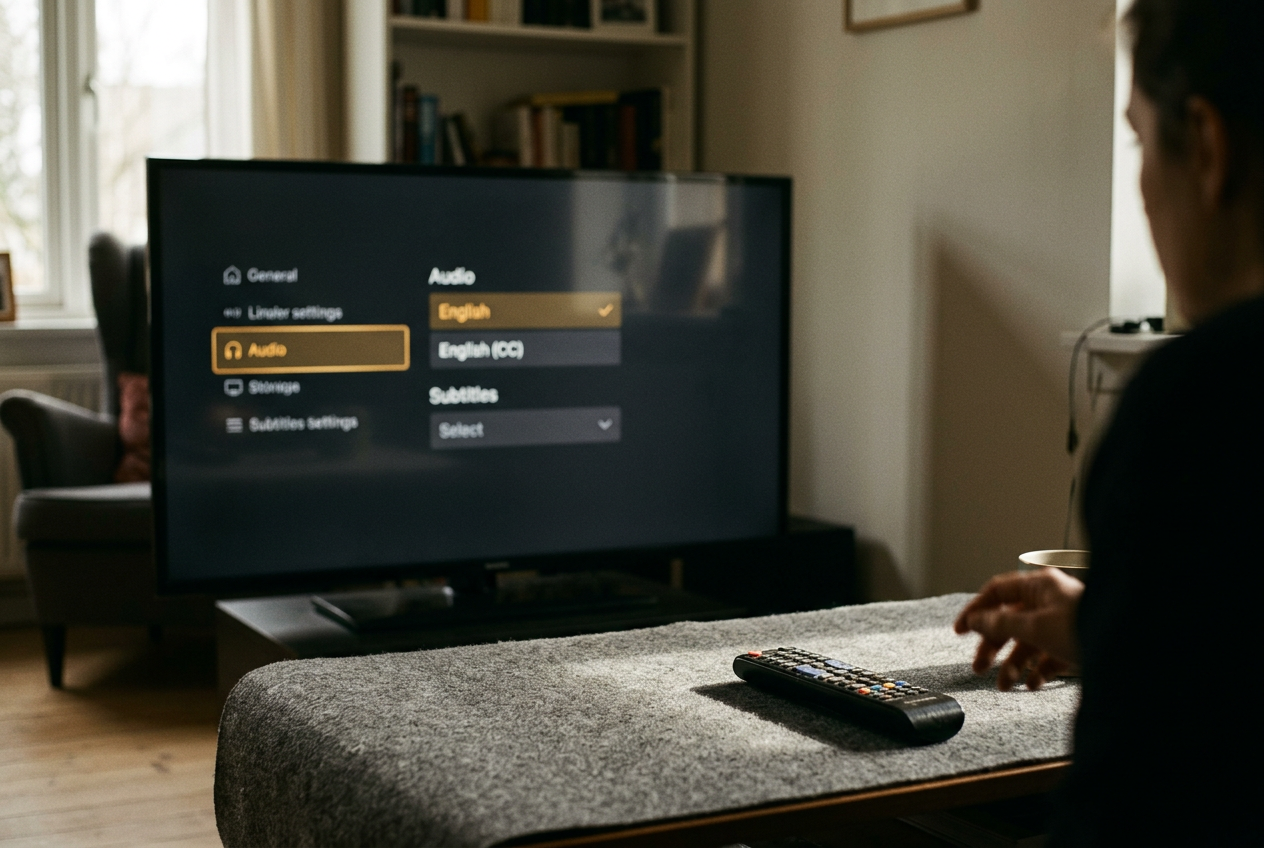
English and English CC Are Different. Pick the Right Track.
Translation subtitles follow the original dialogue. English CC or SDH usually follows the dub and adds sound cues, a distinction that matters before a scene gets noisy.
Streaming · August 11, 2026 · 8 min read
This is streaming coverage, and it contains no late-story spoilers. The useful distinction appears before the first episode has gathered much momentum.
Take the “Red Light, Green Light” sequence in the opening episode of Netflix’s Squid Game. With Korean audio selected, an English subtitle track translates the spoken Korean while leaving most incidental sound alone. Switch to an English closed-caption track and the wording may follow the English dub instead, while bracketed cues identify noises, music, or off-screen speech.
Both tracks are in English. They are doing different jobs.
That difference explains several familiar streaming annoyances: captions that do not quite match the dialogue coming from the speakers, duplicated descriptions when audio description is also on, or a translation track that goes quiet during a sound-heavy stretch. None necessarily indicates a broken file. The viewer may have selected a track built for another audio choice or another accessibility need.
Translation subtitles follow the original dialogue
Translation subtitles are timed text that renders dialogue from one language into another. For an English-speaking viewer watching Squid Game in Korean, the ordinary English track is usually the appropriate choice because it translates from the original performance rather than transcribing an English voice cast.
Subtitling requires compression. A spoken line may contain more words than viewers can comfortably read before the shot changes, so translators preserve the dramatic point while shortening syntax, removing repetition, or choosing a phrase that fits the available time. The result can differ from an English dub even when both versions convey the same plot information.
A dub has another constraint. Its script must work as spoken English, fit an actor’s delivery, and roughly accommodate the visible timing of a character’s mouth. A subtitle can remain closer to Korean sentence structure or word choice because nobody has to perform it aloud. If Korean audio plays while English CC displays the dub script, the discrepancy between what a Korean speaker hears and what appears on screen can become distracting.
Return to the game in Squid Game. The sequence depends on rapid instructions, reactions from a crowd, mechanical sounds, and music. A translation track concentrates on the language needed to follow the rules and character exchanges. It may not tell a hearing viewer about every audible event because the soundtrack already supplies that information.
That is the first decision: if the original performance matters and the soundtrack is audible, begin with the plain English subtitle track.
CC and SDH carry more than dialogue
Closed captions, meaning captions that viewers can switch on or off, commonly include dialogue alongside relevant non-speech audio. A file might identify a speaker who is outside the frame, mark lyrics, or describe a sound that changes how a scene reads. The word “closed” describes viewer control, not the amount of information in the captions.
SDH means subtitles for the deaf and hard of hearing, a subtitle track that includes dialogue plus information such as sound effects, music cues, and speaker identification. Streaming services often use “CC” and “SDH” as practical near-synonyms, even though their technical histories and formatting conventions differ. For choosing a track at home, both labels signal that the file is intended to carry more of the soundtrack.
That extra information matters in the *Squid Game* sequence. A caption identifying a mechanical noise, a gunshot, or tense music can preserve information that translation-only subtitles assume the viewer hears. Speaker labels also help when several contestants shout from outside the frame, especially through television speakers that flatten the placement of voices.
CC or SDH is therefore the better default when dialogue is hard to hear, the television must stay quiet, or a viewer wants the soundtrack represented in text. It is also usually the logical match for English dubbed audio, because the caption text may have been prepared from the dub script.
The pairing is not guaranteed. Catalog titles arrive from different distributors, older caption files are carried into newer apps, and labels vary by device. “English CC” might transcribe the dub closely on one title but present a separate accessibility translation on another. Check the first exchange rather than trusting the label alone.
Why captions sometimes repeat the dub’s sound cues
Audio description is a spoken track that narrates important visual information between lines of dialogue. It is separate from CC and SDH, which represent audible information as text.
Selecting English audio description together with English CC can create apparent duplication. The narrator may describe an action visually while the caption track identifies a related sound, leaving the viewer with two accessibility layers that were designed to work independently. That combination can still be useful, but it is rarely the cleanest setup for someone who only wanted clearer dialogue.
A different duplication occurs when the English dub verbalizes something that the original soundtrack leaves implicit and the captions repeat the dubbed line. The fix is not to abandon captions. Match the tracks: original-language audio with plain English subtitles, or English dubbed audio with English CC or SDH.
Forced subtitles are another source of confusion. A forced track displays only material the distributor considers necessary, often foreign-language dialogue inside an otherwise English-language movie or text shown on screen. It may turn on automatically and disappear after a short exchange. Forced subtitles are not a replacement for a full English track, and some apps do not expose them as a separate menu option.
How to inspect the label on major US apps
Start playback and pause after dialogue begins. Opening the language menu from a title page can work, but the player menu is more reliable because it shows tracks attached to that episode or movie. Look for a speech-bubble icon, an audio-and-subtitles button, or the accessibility controls. Exact wording can change across televisions, phones, streaming sticks, and web browsers.
Netflix: Open Audio & Subtitles during playback. On a non-English title, a plain “English” subtitle option generally indicates translation subtitles, while “English (CC)” indicates captions with sound information and may correspond more closely to the English dub. Netflix sometimes exposes more languages through “Other,” and the options shown can vary with profile language and device.
For the Squid Game test, pair Korean audio with English subtitles first. If the text repeatedly resembles phrasing from the English voices rather than the original performance, reopen the menu and confirm that CC was not selected by mistake.
Prime Video: Open the speech-bubble or Subtitles and Audio control. Prime Video commonly marks caption tracks with a CC symbol or label, though supplied files and names vary widely across its mix of Amazon originals, rentals, channels, and licensed catalog titles. A plain English option may be translation-only; an English CC option should contain accessibility cues. Rentals can offer fewer choices than another service carrying the same movie.
Disney+ and Hulu: Pause and open the Audio & Subtitles menu. English captions are often identified with “CC,” while a plain English track may appear when a movie or series began in another language. Hulu’s catalog comes from many suppliers, so some titles offer only one English caption track. If the menu gives no distinction, play a noisy scene and look for bracketed sound cues or speaker labels.
Max: Use the speech-bubble icon during playback, then inspect the subtitle label rather than assuming “English” means dialogue-only. Max may present English CC as the main English option for an English-language title, while international programming can carry both a translation track and an accessibility track. Availability remains title-specific.
Apple TV+: Open the subtitles menu from the player controls. Apple often identifies tracks as English, English CC, or English SDH, depending on the program and device. The Apple TV app also sells and rents titles from outside Apple TV+, so track availability can differ between an Apple original and a studio movie in the same library.
Menus move. The labels matter more than the icon used to reach them.
A thirty-second check prevents a whole episode of friction
After selecting a track, watch one dialogue exchange and one moment with a clear off-screen sound. If the words match the chosen English dub and sound cues appear, CC or SDH is working as expected. If original-language speech receives concise English text without frequent sound labels, the translation track is probably active.
Change tracks when the setup fights the material. Dense action may benefit from SDH because voices and effects compete. A quiet drama in its original language may read better with translation subtitles that leave the soundtrack uncluttered. Viewers who process dialogue better through text can prefer CC even with full-volume English audio; the “correct” track is the one that supplies needed information without adding a second, mismatched script.
Track selection costs half a minute. Leaving the wrong one on can make an entire episode feel poorly translated or badly captioned when the player has paired two versions that were never intended to match.
Questions people ask
Should
I choose English or English CC for a foreign-language show?
Choose plain English subtitles when listening to the original-language audio. Choose English CC or SDH if you need sound effects, music cues, and speaker identification, or when watching the English dub. Check a short exchange because labels and source files vary by title.
Why do
English captions not match the English dub?
The subtitle translation and dub script may have been written separately. Subtitles prioritize reading speed and the meaning of the original dialogue, while dubbing must produce natural spoken English within performance and timing constraints. Select English CC or SDH if the service offers a track tied to the dub.
Are SDH and closed captions the same thing?
They overlap in everyday streaming use. Both can include dialogue, speaker labels, music, and important sound effects, although SDH comes from subtitle practice and closed captions have their own broadcast and formatting history. For track selection, either label usually means more soundtrack information than translation subtitles provide.
What if an app offers only one English track?
Play a scene with audible music or an off-screen noise. Bracketed cues and speaker labels indicate an accessibility caption track; dialogue alone suggests translation subtitles. When no alternative exists, changing the audio language may still improve the match between spoken words and on-screen text.
One update a day
Today's review, in your inbox
One review each morning — no hype, no filler, just what is worth watching.