In New Jersey, Test Listening Devices Before Trailers End
Ask for the soundtrack, not just “headphones,” and verify the receiver inside the auditorium. A five-minute check can keep the opening scene from becoming technical support.
Cinema · August 25, 2026 · 7 min read

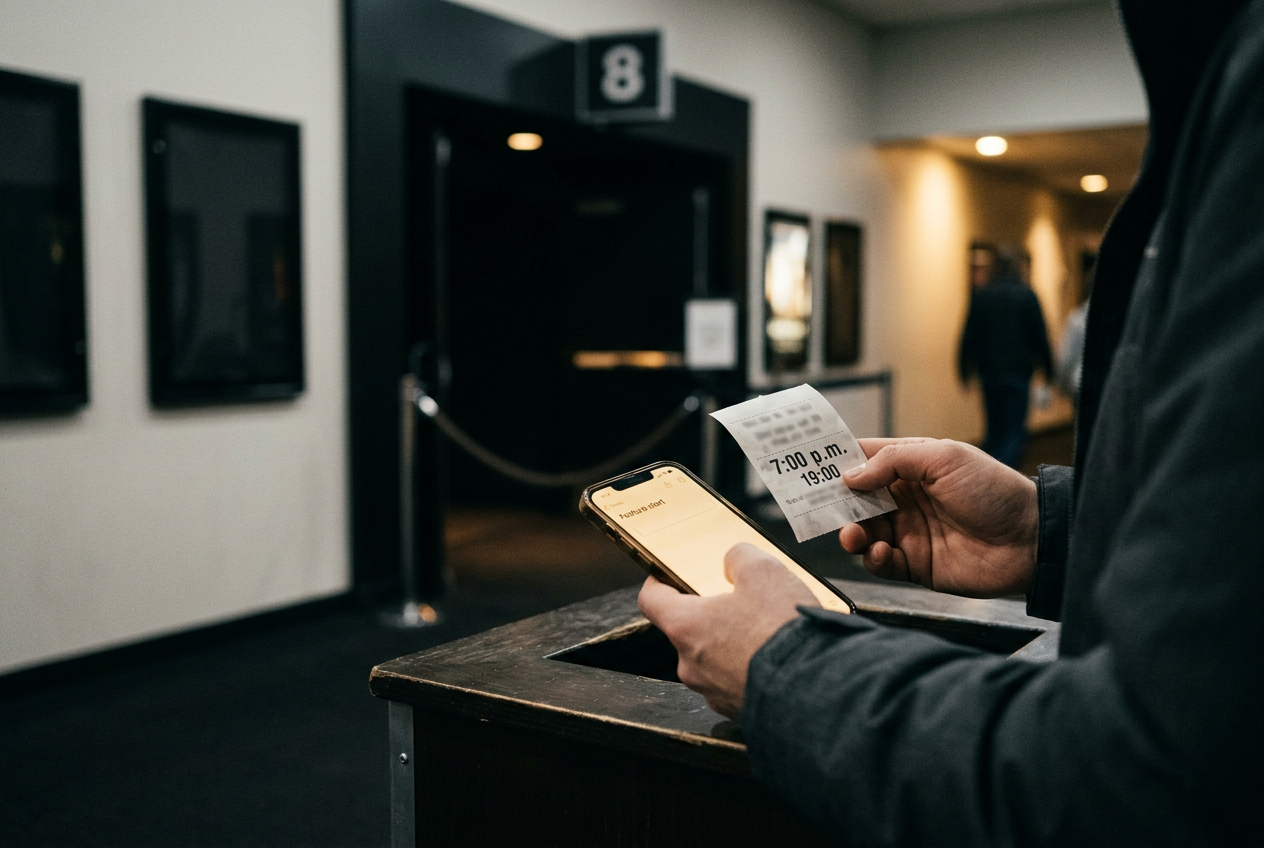
Picture a 7 p.m. screening at a New Jersey multiplex. The ticket is scanned, the auditorium is down the hall, and the person at guest services hands over a receiver with headphones.
The device powers on. That is not yet a successful test.
The useful moment comes several minutes later, inside the correct auditorium, when a trailer starts and spoken dialogue reaches both sides of the headphones at a controllable volume. If a narrator begins describing faces, settings or movement between lines, the receiver is playing audio description rather than the assistive-listening soundtrack you requested. If there is silence, the lobby counter is still close enough to visit before the opening scene.
That small window is the reason to arrive before the advertised showtime. Theater accessibility equipment is usually borrowed at the venue rather than reserved like a seat, and the receiver must connect to the audio feed assigned to a particular auditorium. A lit screen or power indicator only confirms that the device has power. It does not confirm the right program, channel or room.
This is cinema coverage. The procedure applies to theatrical listening equipment, not the accessibility settings available on streaming apps at home.
Ask for the audio you mean
Assistive-listening audio, meaning an amplified feed of the movie’s soundtrack, carries dialogue, music and effects without adding a narrator. It is intended for viewers who need clearer or louder sound than the auditorium speakers provide. Depending on the theater’s equipment, it may reach conventional headphones, a single-ear piece or a neck loop that sends sound to a hearing aid’s telecoil.
Audio description is a different track. It adds narration during spaces in the dialogue to describe visible action, settings, expressions and on-screen text for blind and low-vision viewers. Both services may use similar-looking receivers, and some systems place them on different channels of the same device, which is why asking only for headphones can produce the wrong result.
At the counter, use the service name and the show information together: assistive-listening audio for the 7 p.m. movie in Auditorium 6. If you want description, say audio description.
Theater staff may use terms such as amplified audio, hearing-impaired audio or descriptive narration; the essential distinction is whether you want the original soundtrack made easier to hear or an additional narrator.
AMC’s accessibility documentation describes its Fidelio system as delivering amplified sound or descriptive narration through a wireless receiver. Regal and Cinemark also document assistive-listening and descriptive-audio services, while advising guests to confirm availability at the theater. Those brand pages establish that the services exist. They cannot tell you whether the receiver at one New Jersey location is charged, whether the transmitter is active for tonight’s auditorium or whether every accessory is currently available.
Check the venue, not only the chain page
A direct venue check should happen before buying a nonrefundable add-on, arranging transportation around one showtime or choosing a distant theater solely for accessibility. Call the theater itself when possible. A centralized customer-service agent may see the same amenity icon that appears online without knowing the condition of that location’s equipment.
Give the representative the movie, approximate showtime and auditorium if the listing shows one. Ask whether assistive-listening receivers are available for that screening, where they are collected and how early the counter opens. If you use hearing aids, ask whether the venue has a compatible neck loop; if you plan to use personal wired headphones, ask whether the receiver accepts them. Do not assume Bluetooth pairing is supported.
Also ask what the venue requires to borrow a unit. Identification, deposits and return procedures can vary, and a chain’s general accessibility page may not settle a local operating detail. The point of the call is not to get a broad promise that the theater offers accessibility equipment. It is to reduce uncertainty around the 7 p.
m. handoff.
Online showtime labels still help. Accessibility icons can indicate that a screening supports assistive listening, audio description or closed captions, but similar symbols are easy to misread on a crowded booking page. Closed captions display dialogue and relevant sound information on a personal screen near the seat; they do not make the soundtrack louder. Confirm the label against the theater’s legend, then repeat the requested service at pickup.
Fit the receiver before you settle into the seat
Inspect the equipment under the lobby lights. Check that the headphone plug sits fully in the receiver, the cable is not visibly damaged and the earpieces fit securely enough to remain in place for the runtime. Set the volume low before putting them on, then raise it gradually once a trailer supplies a signal. A receiver can be much louder than expected after a previous guest’s settings.
For a neck loop, switch the hearing aid or cochlear implant processor to its telecoil setting if that is part of your established setup. A telecoil is a small component that receives an electromagnetic audio signal without using the hearing aid’s microphone. Device controls differ, so the theater employee can explain the venue receiver but should not be expected to configure personal hearing equipment.
Some auditoriums use radio-frequency transmission, which sends the soundtrack by radio signal and may work throughout the room. Others use infrared, a light-based signal that can weaken when the receiver loses a clear path to the emitter. Brand documentation cannot identify every installed configuration at every New Jersey theater, so seat position belongs in the test: sit where the ticket places you, turn toward the screen and listen through a complete exchange of trailer dialogue.
The 7 p.m. receiver passes only when the sound remains steady at that seat. Walk-in music or preshow advertising may not carry the film feed, so silence before the trailers does not prove failure.
Once a trailer with obvious speech begins, however, missing dialogue, repeated dropouts or narration you did not request are reasons to act.
Run this troubleshooting sequence
Do not spend the entire trailer reel changing every control at random. Move from the part in your hand toward the theater’s installed system, because that order separates a loose connection from a problem staff must address.
- Check power and volume. Confirm the receiver is on, then raise its volume slowly while trailer dialogue is playing. Return the level to low before reconnecting headphones.
- Reseat the connection. Remove and firmly reconnect the headphone or neck-loop plug. If only one side works, inspect the cable and ask for another headset rather than accepting partial audio for the feature.
- Confirm the selected track. A description narrator means the receiver has a working signal but the wrong audio program. Ask staff to switch it from descriptive audio to assistive listening, or the reverse if description was the intended service.
- Test position and line of sight. Hold the receiver as instructed rather than burying it under a coat or inside a bag. If the sound returns when the unit faces the screen, ask whether the auditorium uses infrared and whether another seat in your purchased area would provide a more reliable path.
- Swap the portable parts. Request another receiver and headphones. This is faster than trying to diagnose a weak battery or damaged jack while the final trailer plays.
- Have staff verify the auditorium feed. Give them the auditorium number and showtime again. A replacement that fails in the same way can point to the transmitter, channel assignment or screening configuration rather than your headset.
Ask whether an employee can accompany you into the auditorium for the retest. The counter may be outside the transmitter’s range, and a receiver that produces noise in the lobby has not demonstrated that it carries the correct movie soundtrack at your seat.
Decide before the opening scene
The stopping point matters. Once the feature begins, repeated trips to the lobby cost story information, and the kind of opening sequence most dependent on assistive listening is often the one least willing to pause for setup: whispered exposition, an off-screen phone call, overlapping voices or dialogue placed under a loud score.
If the second receiver still fails, ask for the options available at that venue before committing to a compromised screening. Another auditorium or later show may have working equipment. Closed captions may be a useful alternative for dialogue access, though they change where the viewer’s eyes rest and do not replace amplified music or effects. Refunds, exchanges and passes depend on theater policy, so address them with the manager rather than assuming a chain-wide outcome.
The practical deadline remains the end of the trailers. For the 7 p.m. screening, a verified receiver means stable dialogue from the assigned seat, the intended track and enough volume range to remain comfortable.
A glowing power light is only the beginning of that check.
Questions people ask
Do
New Jersey theaters let you reserve an assistive-listening receiver?
Policies vary by theater, and a showtime’s accessibility icon does not necessarily reserve a physical unit. Call the specific location before traveling, then arrive early enough to collect and test the receiver while replacement equipment and staff help remain available.
Can
I use my own headphones with a theater receiver?
Some receivers accept standard wired headphones, but connector types and venue policies differ. Ask the theater directly and bring the venue-provided headset as a fallback. Do not count on Bluetooth, since a wireless theater receiver does not necessarily pair with personal Bluetooth earbuds.
How can
I tell assistive listening from audio description?
Assistive listening carries the movie’s existing soundtrack at an adjustable level. Audio description adds a narrator who explains visible action between lines of dialogue. If narration appears when you requested amplified sound, the receiver is probably set to the wrong program rather than broken.
What should
I do if the device fails after the movie starts?
Note the auditorium and the failure, then take the receiver to guest services as soon as leaving becomes less disruptive. Ask staff to replace it and verify the auditorium feed. If the problem cannot be fixed, discuss that theater’s exchange, alternate-showtime or refund options before returning the equipment.
One update a day
Today's review, in your inbox
One review each morning — no hype, no filler, just what is worth watching.