
Prime Video Channels Can Hide the Subscription You Need to Cancel
A service appearing inside Prime Video does not prove Amazon bills you. Use the subscription tile, receipt, and playback label to find the duplicate before canceling anything.
Streaming · August 11, 2026 · 8 min read
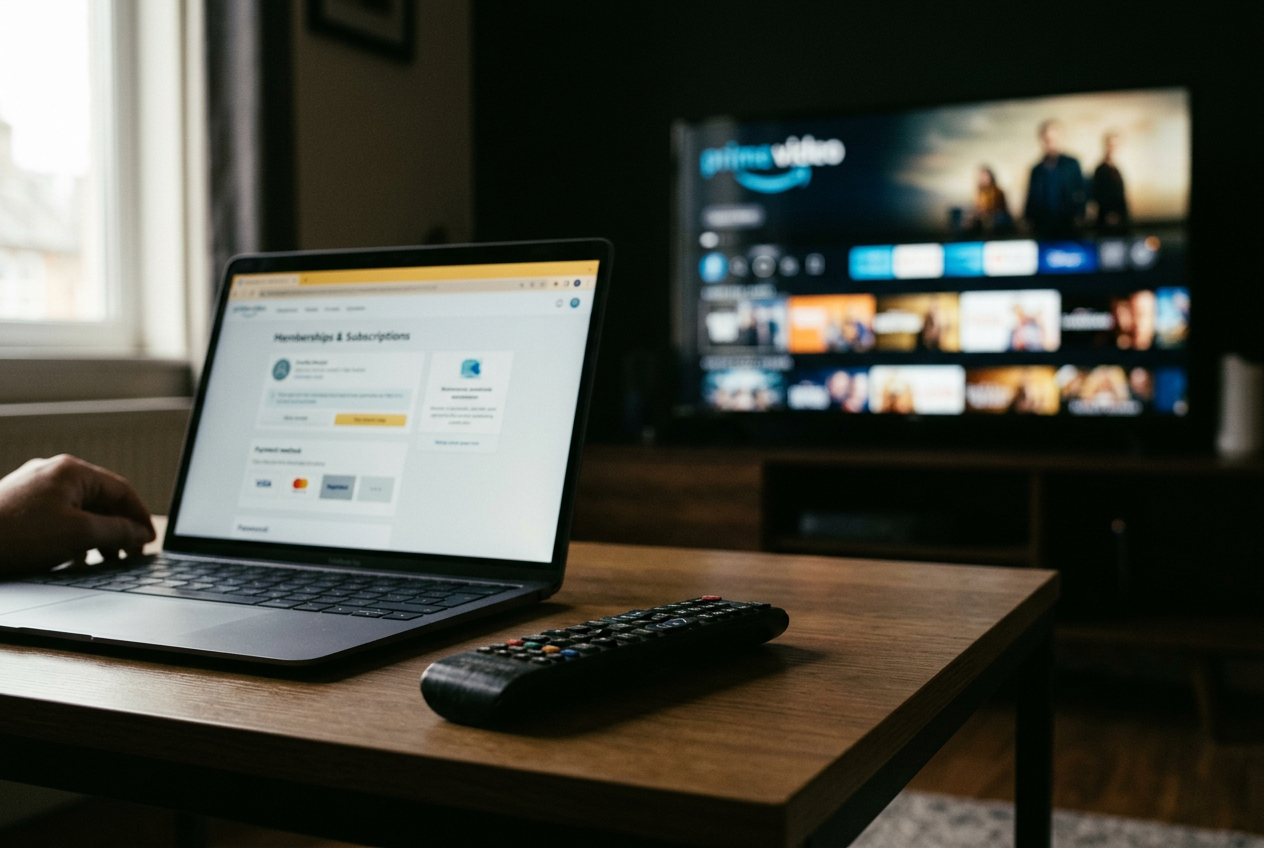
This is streaming coverage, and the problem is less about finding a show than finding the company that sold you access to it. A Paramount+ logo inside Prime Video can represent a Prime Video Channels subscription, a separate Paramount+ account, or an invitation to start another subscription. The logo looks the same. The billing relationship does not.
Use one concrete object as the anchor: the Paramount+ tile under Amazon’s Memberships & Subscriptions page. If that tile appears with a renewal or expiration date and a management control, Amazon has a record of the subscription. If it does not appear, stop treating Prime Video as the likely billing source and follow the payment trail elsewhere.
That tile matters more than memory, app placement, or the fact that a title played successfully last week.
Start with the seller, not the service logo
Prime Video Channels are add-on subscriptions sold and managed through Amazon, with playback generally happening inside Prime Video. A direct subscription is sold by the streaming service itself, while an app-store subscription is sold through a platform such as Apple or Google even though the service supplies the video.
Those arrangements can unlock much of the same catalog. They are still separate purchases. Signing into Paramount+ directly does not establish that an Amazon-billed Paramount+ Channel exists, and seeing Paramount+ programming in Prime Video does not establish that a direct Paramount+ subscription will unlock it there.
The cleanest check begins on Amazon’s website, where account controls are easier to inspect than on a television interface. Open your account area and find Memberships & Subscriptions, then look for the relevant service. Amazon may also expose channel management through Prime Video settings; labels and menu placement can vary by device and account layout, so the evidence to seek is the named subscription with its billing status, not a memorized sequence of buttons.
Return to the Paramount+ tile. A renewal date means the Amazon subscription is active and scheduled to continue unless its status says otherwise. An expiration or access-end date usually means cancellation has already been requested. A trial label means the same cancellation path still matters, because deleting an app or abandoning playback does not instruct the seller to stop the subscription.
No tile is useful evidence too. It does not prove that no Amazon charge has ever occurred, especially if another household member or Amazon account made the purchase, but it tells you not to press random cancellation controls inside the Paramount+ app and hope the charge follows.
Let the receipt break the tie
Next, search email for the service name alongside terms such as Amazon, subscription, renewal, membership, or channel. A receipt or renewal notice identifies the seller more reliably than a bank statement, whose shortened descriptor may omit the channel name or group the payment under a broader platform label.
Match the email address and account involved. Households often have one Amazon login on the television, another on a phone, and a direct streaming account tied to a third address; the duplicate survives because each person remembers the service but not the checkout screen. The useful record is the receipt connected to the account that can manage the charge.
If Amazon shows the Paramount+ tile and Paramount+ also shows an active plan in its own account settings, you have found two entitlements, meaning two separate permissions to watch. Before canceling, inspect the next billing date, plan type, and payment route on each account. Do not compare only the monthly-looking price on a bank statement, because one subscription may be annual, promotional, bundled, or billed through an app store.
If the provider says billing is managed by Apple or Google, leave the provider’s cancellation page and use that platform’s subscription controls. The seller controls renewal. The video app often displays status without owning the transaction.
This produces a dependable evidence order: an active entry in the seller’s subscription manager carries the most weight, a receipt confirms the account and transaction, and a bank charge helps locate the payment after those records have narrowed the field. An app icon comes last. It proves installation, not payment.
Cancel where the active subscription lives
For an Amazon-billed channel, open the service entry under Memberships & Subscriptions and choose its management or cancellation control. Amazon’s wording can differ across interfaces, but the final screen should state whether renewal has stopped and how long access remains. Save that confirmation or retain the email. The important result is a dated status, not a button that briefly changed color.
Do not cancel Amazon Prime as a shortcut. The channel is the line item under review, and changing a broader membership introduces another variable without giving you a clearer record of what happened.
For a direct subscription, use the provider’s website or account page. If the account points to Apple, Google, a cable company, or another billing partner, continue there. Canceling through the wrong interface often ends with a polite message that the service cannot manage the subscription, which is useful information but not a cancellation.
The Paramount+ tile remains the checkpoint. After canceling through Amazon, revisit it and look for an end date or canceled status. After canceling directly, revisit the provider’s account page instead. A confirmation email should agree with the account page; if it does not, treat the account page as unresolved rather than assuming the email subject line settled it.
Avoid removing the app until you have captured the subscription status. Deleting Prime Video, Paramount+, or any other streaming app removes local software and perhaps downloaded video. It does not normally communicate a renewal decision to the company holding the payment agreement.
Use playback to confirm which access you kept
Cancellation is only half the check. The remaining subscription needs a known playback path, or the next movie night can push you into another trial while everyone waits.
If you kept the Prime Video Channel, open Prime Video and search for a title included with that channel. Inspect the offer label before pressing play. It should identify access through the channel rather than show only rental, purchase, or trial options. Prime Video can place several offers for the same title on one page, and the first prominent button is not always proof of the entitlement you intended to use.
If you kept the direct subscription, open the provider’s app or website and sign into the account whose plan page showed active access. Do not assume those credentials will unlock the corresponding channel inside Prime Video. Channels are generally built as Prime Video entitlements, while direct subscriptions belong to the provider’s own system; any linking or cross-app support must be stated by the services rather than inferred from matching email addresses.
Run this playback check before the canceled subscription reaches its end date. Choose a title you know belongs to the service, start it through the subscription you plan to keep, and confirm that the app does not ask for payment or a new trial. A successful stream through the intended route gives you evidence that the surviving account works, although it does not by itself prove the duplicate stopped renewing. The dated cancellation status still carries that job.
Watchlists, viewing history, downloads, profiles, and subtitle preferences may not follow when you move between Prime Video and a provider’s app. That inconvenience can influence which subscription you keep, but it should not be confused with catalog access. If the household has years of progress stored in Prime Video, keeping the Channel may be less disruptive. If the provider’s app offers the plan features or device behavior you use, direct billing may fit better.
Choose the copy that earns its place
Once both subscriptions are visible, the decision becomes practical. Keep the one attached to the app your household uses, provided it carries the needed plan and works on the devices that matter. Prime Video Channels can reduce app switching and keep playback in one interface. Direct subscriptions can make provider-specific account controls easier to find and may offer plan choices that differ from the channel version.
Do not keep two copies merely because one renewal arrives later. Record the final access date, test the surviving route, and add a reminder before any remaining trial or promotional period changes. If the Paramount+ tile now shows an end date while the direct Paramount+ account plays through its own app, the duplicate has been isolated without relying on anybody’s memory of checkout.
One loose end remains: catalogs and features can differ by seller, plan, location, and device. Check the title or feature you care about before the old access ends. The correct cancellation path prevents another charge; the playback check prevents that correction from becoming a fresh subscription five minutes before a show.
Questions people ask
Can
I cancel a Prime Video Channel inside the streaming service’s app?
Usually, an Amazon-billed channel must be canceled through Amazon’s subscription controls. The provider app may show programming or account information, but it does not necessarily control Amazon’s transaction. Confirm the result by finding an expiration date or canceled status on the Amazon subscription entry.
Why does
Prime Video ask me to subscribe when I already pay for the service?
Your existing subscription may be direct or billed through another platform, while Prime Video is offering a separate Channel entitlement. Open the service’s own app for direct access, or check whether the companies document account linking. Do not begin another trial merely because Prime Video recognizes the title but not your outside payment.
Does deleting the app cancel the subscription?
No. Deleting an app removes it from the device, but the seller can continue renewing the subscription. Cancel through Amazon, the streaming provider, Apple, Google, or whichever platform appears in the active subscription record, then keep the confirmation showing the access-end date.
Which version should I keep if both subscriptions work?
Keep the version tied to the playback app, plan features, and devices you use. Check one included title through that route before the duplicate expires, and note that profiles, watchlists, downloads, and viewing progress may not transfer between Prime Video Channels and the provider’s own app.
One update a day
Today's review, in your inbox
One review each morning — no hype, no filler, just what is worth watching.


